
If you have been wondering how Apple Intelligence photo tools are going to reshape your camera roll, the wait is over: iOS 27 shipped on September 14, 2026. Between features like Spatial Reframing and the mind-bending “Extend” capability, these built-in editing features look both thrilling and slightly terrifying. We did not test these tools ourselves; this is an editorial overview, not hands-on test results.
With this kind of power comes great responsibility. Apple has always prided itself on preserving photographic truth, but these new tools are ready to challenge that norm. According to AppleInsider, Spatial Reframing uses on-device spatial models plus Private Cloud Compute. Here is what these tools are designed to do and how they might just change the way we edit our digital memories.
Unleashing the Power of Apple Intelligence Photo Tools
We are officially stepping into an era where Apple is a top-tier AI contender, matching strides with heavyweights like OpenAI and Google. While a smarter Siri and the Image Playground feature are getting plenty of hype, the real everyday magic may lie in the native Photos app.
Read More: 7 New iOS 27 Features Coming to Your iPhone (Siri AI & More)
Spatial Reframing and the AI Evolution
One feature to watch is Spatial Reframing. This tool is designed to let you shift the perspective of your photo subjects, uncovering elements and angles that the physical camera lens never actually captured. It shows what Apple Intelligence photo tools are aiming for, giving casual shooters the spatial editing capabilities once reserved for high-end graphic artists and visual effects pros.

Pushing the Limits: The Extend Feature
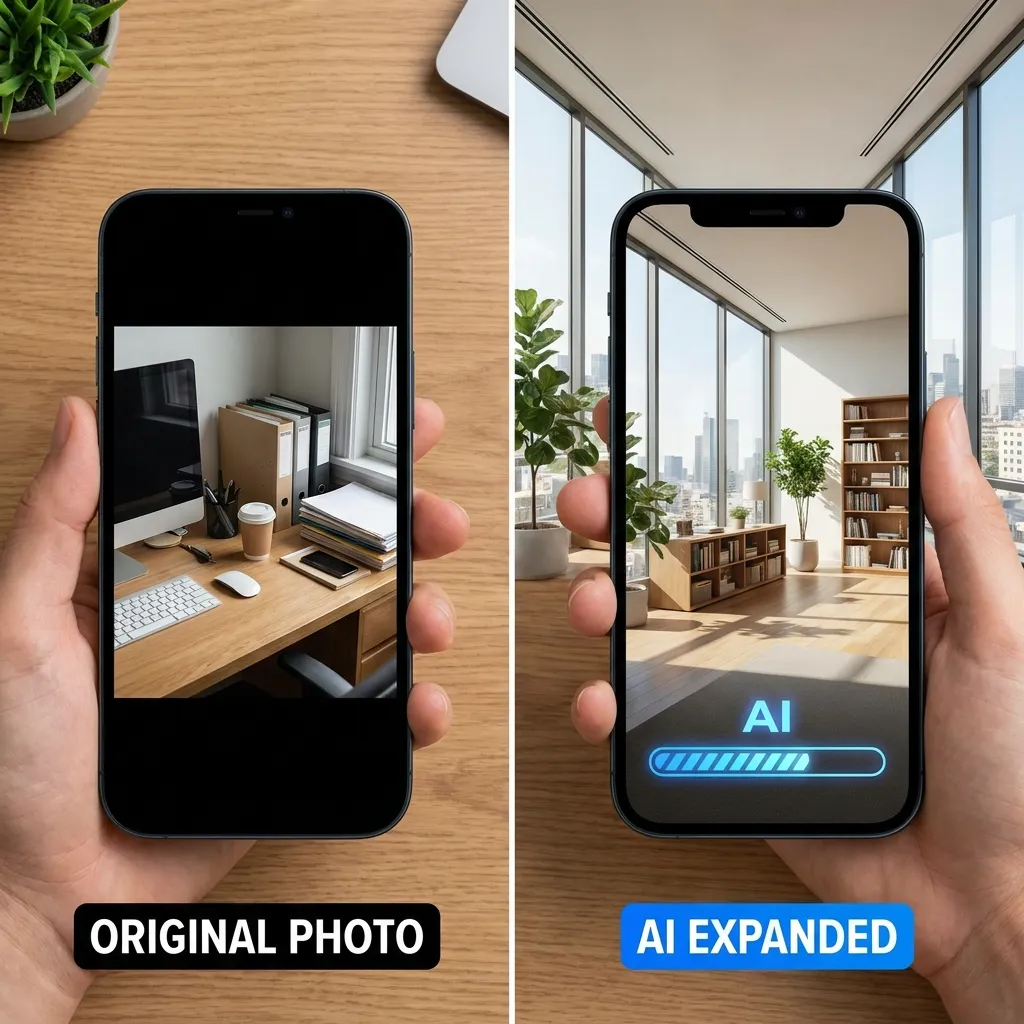
Another one to watch is the “Extend” tool. It doesn’t just zoom out; it actually generates what might be outside the frame of your original image.
We all know the struggle of taking a gorgeous portrait-mode shot only to wish you had framed it in landscape. You want those extra bits of background, but they are lost to the cropping ether. This is where Apple’s AI steps in with a “let guesswork be your guide” philosophy.
How Apple Intelligence Photo Tools Fill in the Blanks
Because these Apple Intelligence photo tools are guessing at what lies outside the frame, the results may not match the real scene. It may help to treat an extended photo as a creative edit rather than a record of what was actually there.
What to Keep in Mind When AI Gets Creative
Generative tools can take creative liberties. Here are a few scenarios to think about:
Read More: The New PopSockets Low-Pro MagSafe Grip: An Inspiring Origin Story
A Home Office Expansion
In a photo of a home office, an AI tool might try to match the lighting and textures of the original while inventing details at the edges, such as furniture or architectural features that were never there.
The Great Outdoors and Foliage
Natural scenes such as trees and sky could be a good fit for this kind of tool, though buildings at the edge of a frame may end up looking different from the real thing.
A Cluttered Bookshelf
Clutter can be a challenge for generative AI. An extended image of a busy shelf might come out tidier than the real one, and details such as book titles could be invented.
The Future of Apple Intelligence Photo Tools
These features shipped with iOS 27 on September 14, 2026. With future software updates, the Apple Intelligence photo tools may get sharper and more accurate.
Most everyday users probably won’t push the Extend tool to extremes. They will likely use it to subtly re-center a subject, add a bit of breathing room to a sunset shot, or widen a group photo. Still, the underlying idea is a big one.
Are you ready to let AI fill in the blanks of your memories? The lines between photographic truth and digital art are blurring faster than ever.
What are your thoughts on this new era of AI photography? Let us know how you plan to use these features in the comments!
Sources
Find more stories like this in our Technology section.