



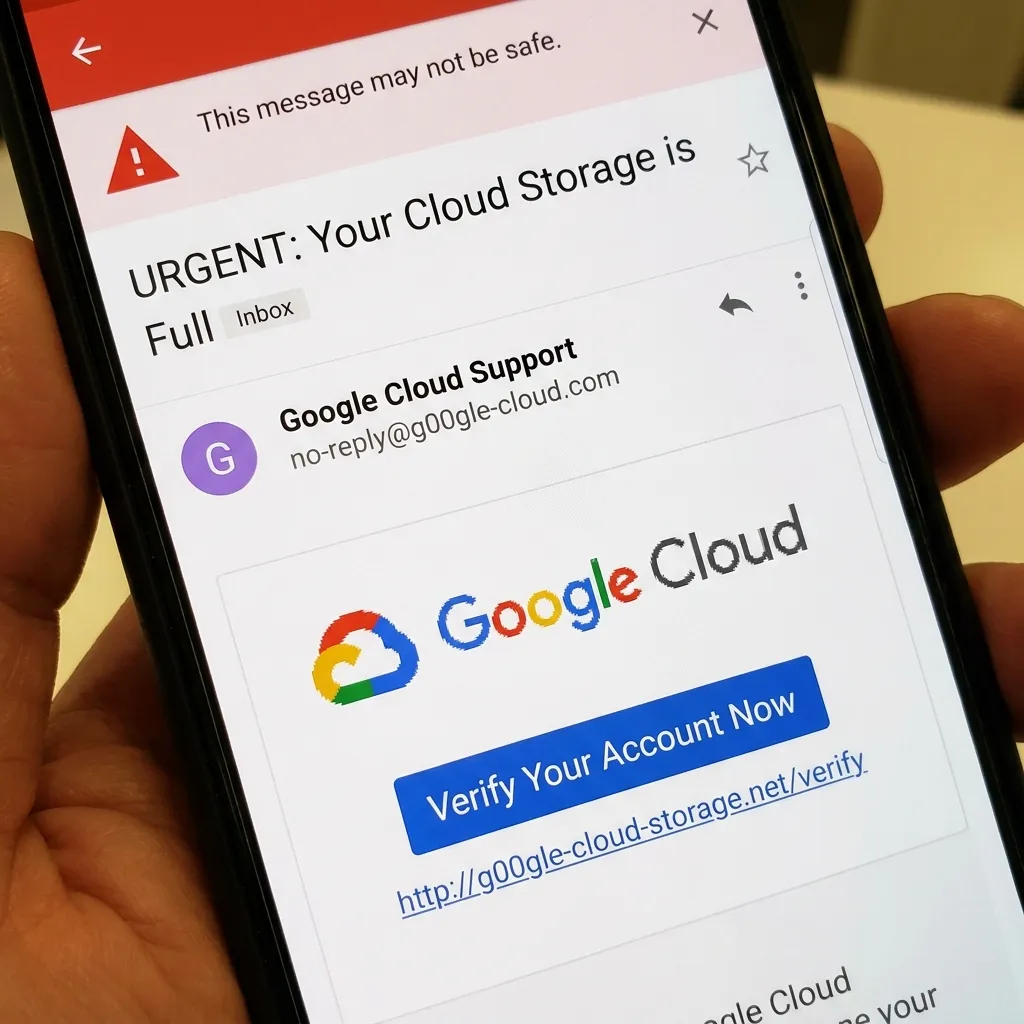
When an urgent email lands in your inbox promising a huge financial reward or threatening account closure, your first instinct might be to flag it as spam. But what happens when that email uses a legitimate, trusted link directly from Google? Welcome to the highly sophisticated Google Cloud phishing scam, a massive cyberattack currently slipping past major security filters worldwide. By combining the trusted authority of Google’s infrastructure with fake New York Times articles acting as harmless decoys, cybercriminals have engineered a global phishing machine designed to trick both you and your antivirus software.

The Mechanics Behind the Google Cloud Phishing Scam
In the complex world of cybersecurity, digital trust is everything. Hackers know that modern email gateways, firewalls, and reputation filters are trained to automatically block suspicious, unknown domains. To navigate around these roadblocks, scammers are utilizing a genius, albeit malicious, workaround: they host their initial trap links on Google Cloud Storage.
Read More: 7 New iOS 27 Features Coming to Your iPhone (Siri AI & More)
Why Hackers Exploit Trusted Links
Instead of linking directly to a dangerous, attacker-controlled website, these malicious emails route victims through seemingly safe pages hosted on Google. Because automated security systems universally view Google domains as secure, these emails fly straight into your primary inbox without triggering a single alarm.
Once a user clicks the link, simple HTML and JavaScript files stored on the cloud redirect them to the actual dangerous destination. This separation gives the operators of the Google Cloud phishing scam incredible flexibility—they can change the final landing page URL at any time without having to alter the emails they’ve already sent to potential victims.
Fake New York Times Decoys Explained
So, what happens when an automated antivirus scanner or a cybersecurity researcher clicks the link to investigate? They don’t see the scam. Instead, they are met with perfectly scraped, identical copies of New York Times news articles.
These fake news pages act as a brilliant decoy. If the visitor’s system doesn’t match the attacker’s specific target criteria, the script simply loads the fake news page, completely tricking the security scanners into believing the link is just a harmless news share.
A Massive 12,000-Server Global Phishing Network
According to a recent investigation by Comparitech, this is not just a small-scale, amateur operation. The infrastructure supporting this network is staggering, utilizing over 12,704 servers spread across 55 different countries.
Why the Google Cloud Phishing Scam is So Hard to Stop
The sheer scale and geographic distribution of these servers are highly intentional. By spreading the network across more than 400 different hosting providers globally, hackers ensure that if one provider shuts them down, the rest of the operation remains completely intact.
Read More: Google Pixel 11 Launch Expectations: 5 Things Coming August 12
Interestingly, researchers found that 99.8% of these servers were running on outdated, end-of-life software. Furthermore, 89% of the servers had absolutely no prior history of abuse. This indicates that the hackers are constantly rotating their infrastructure, provisioning new servers rapidly to stay one step ahead of threat intelligence databases.
How to Protect Yourself from the Google Cloud Phishing Scam
Even with the most advanced security tools installed, human vigilance remains your ultimate defense against the Google Cloud phishing scam. Here is exactly how you can protect your digital life:
Don’t click out of curiosity: Clicking the link—even if you immediately close the tab—confirms to the scammers that your email address is active. This simple click makes you a prime target for future spam and malware drops.
Verify all urgent requests: If an email urges immediate financial action or claims you’ve won a reward, independently verify it. Navigate to the official website directly through your browser—never use the link provided in the email.
Assume compromised data: If you have already entered personal details or passwords into one of these deceptive pages, treat your data as breached. Change your passwords immediately, prioritize accounts where you reuse credentials, and closely monitor your financial statements for any unusual activity.

By understanding how these deceptive, multi-layered tactics work, you can keep your inbox clean and your sensitive data out of the hands of global cybercrime syndicates. Stay alert, stay informed, and always think twice before you click!